Floor plans that live in your app. Not in someone else's cloud.
Draw, view and explore floor plans in 2D and 3D, from a single flat to a whole multi-storey building. Click to get exact coordinates and pin any icon anywhere. It all runs inside your application: no servers, no API keys, no per-floor-plan fees. Buy it once. It's yours.
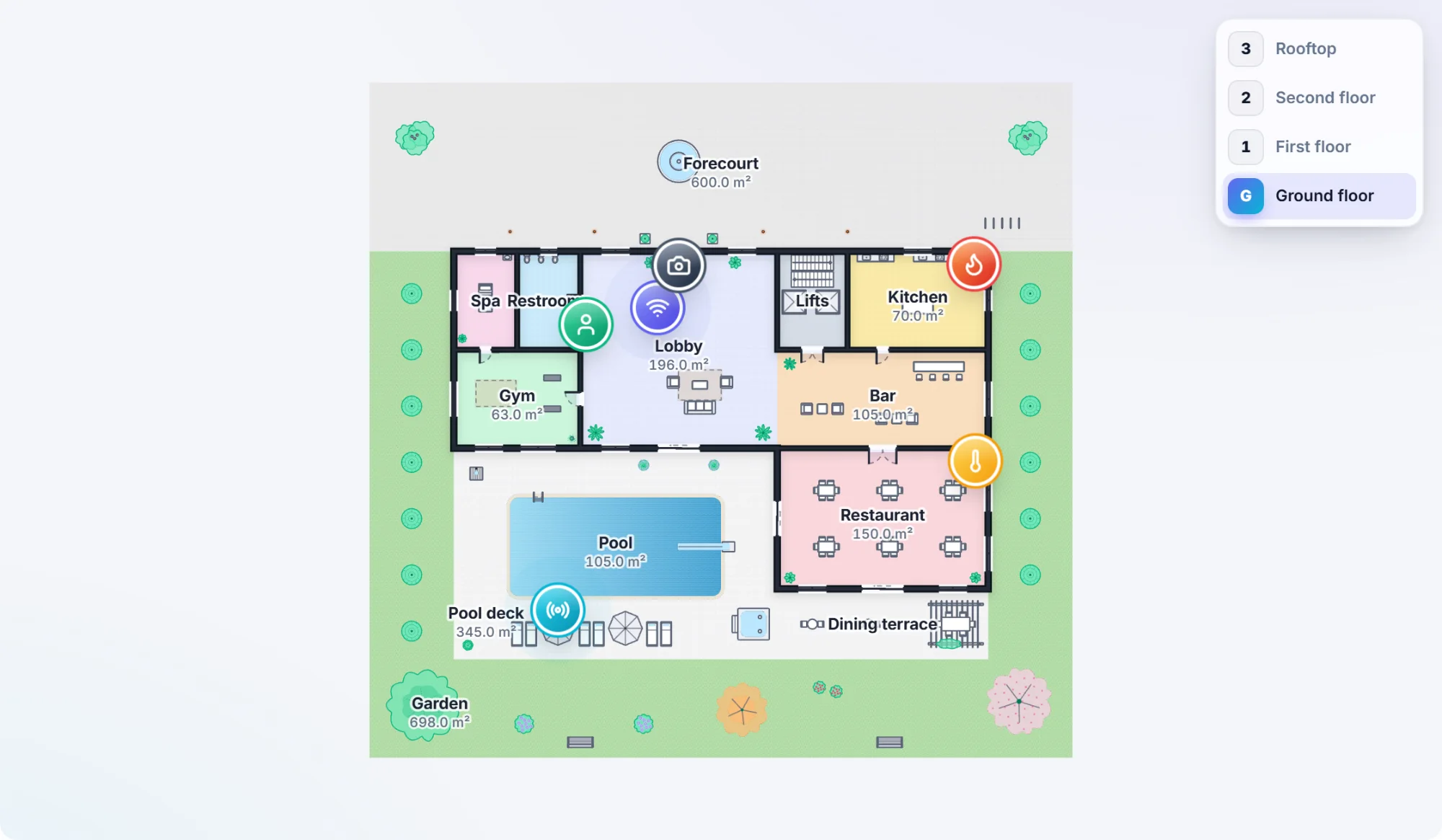
@plan-click {
x: 3650.0, y: 3100.0,
room: "Restaurant",
floor: "Ground floor"
}
Everything you need to put floor plans in your product
Three components that share one simple data format. Let people draw their spaces, show them beautifully, and connect them to your data.
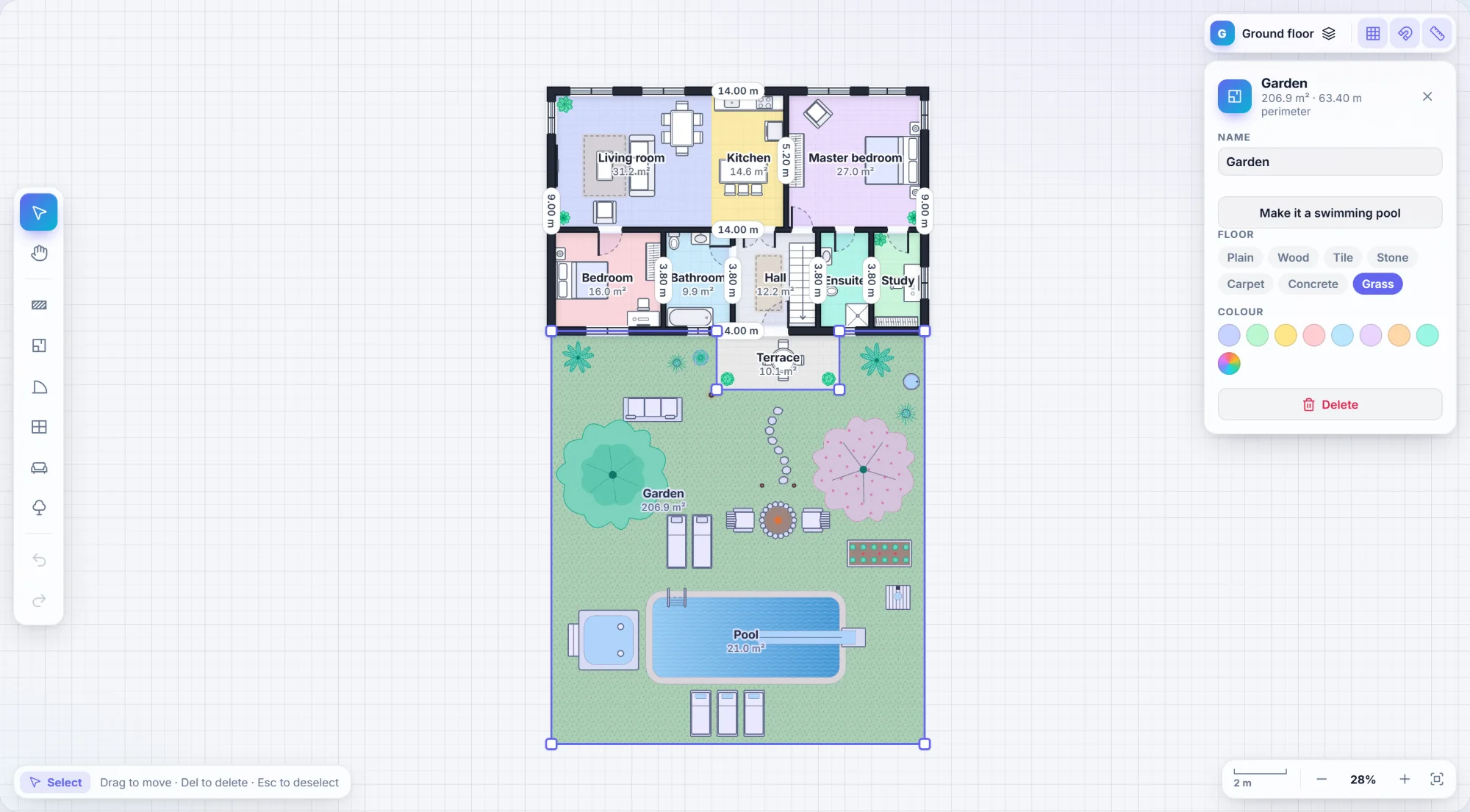
Draw a floor plan in minutes
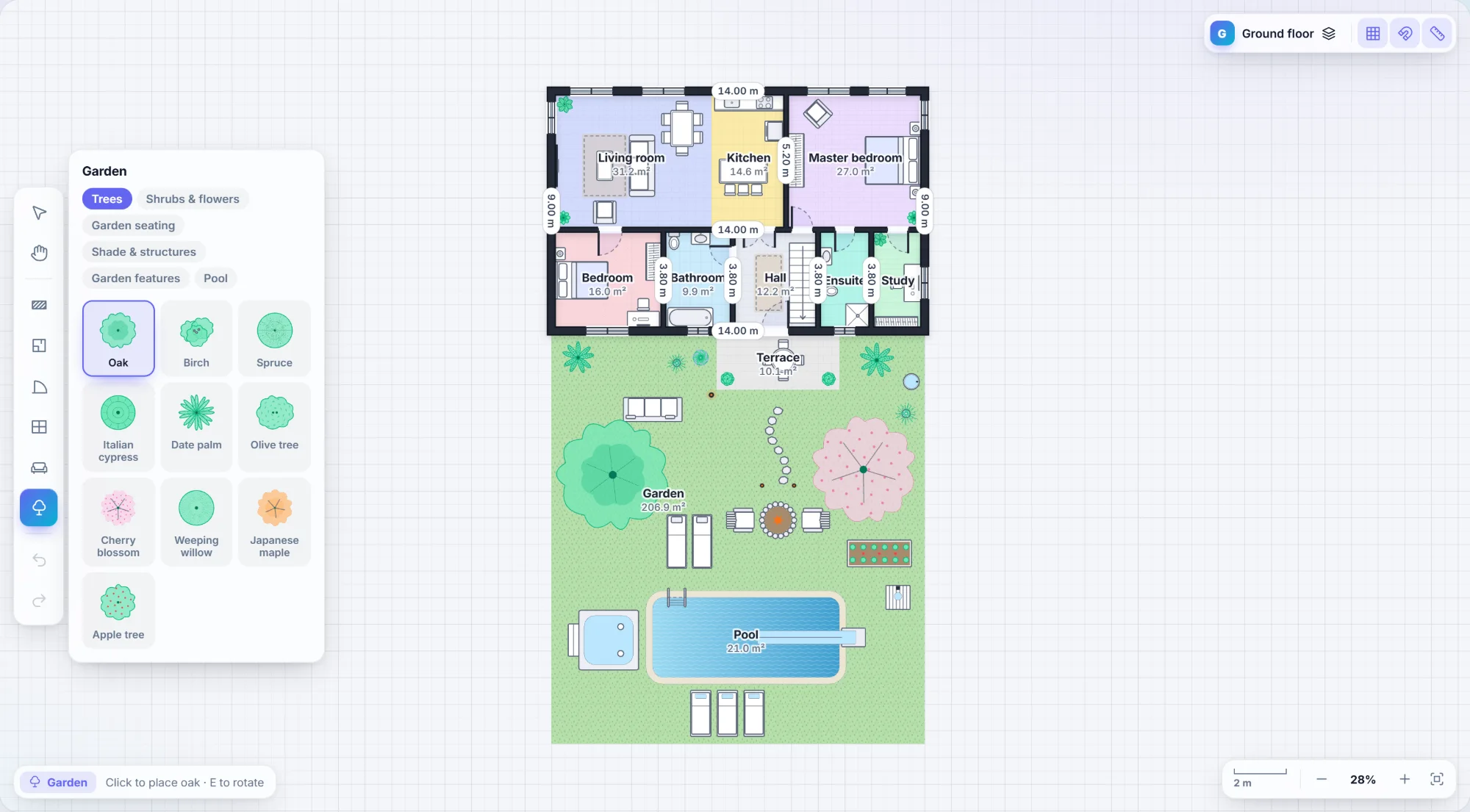
A real editor your users will actually enjoy. Drag out rooms, chain walls, drop in doors, windows and furniture, all with smart snapping.
- Walls, rooms, doors and windows that join cleanly at every corner
- Smart snapping to corners, walls, angles and the grid, with live measurements
- Every floor of the building, from basement to rooftop, in one plan
- Gardens, terraces and balconies with grass, stone, deck and glass railings
- 25 furniture items including beds, kitchens, bathrooms, stairs and elevators
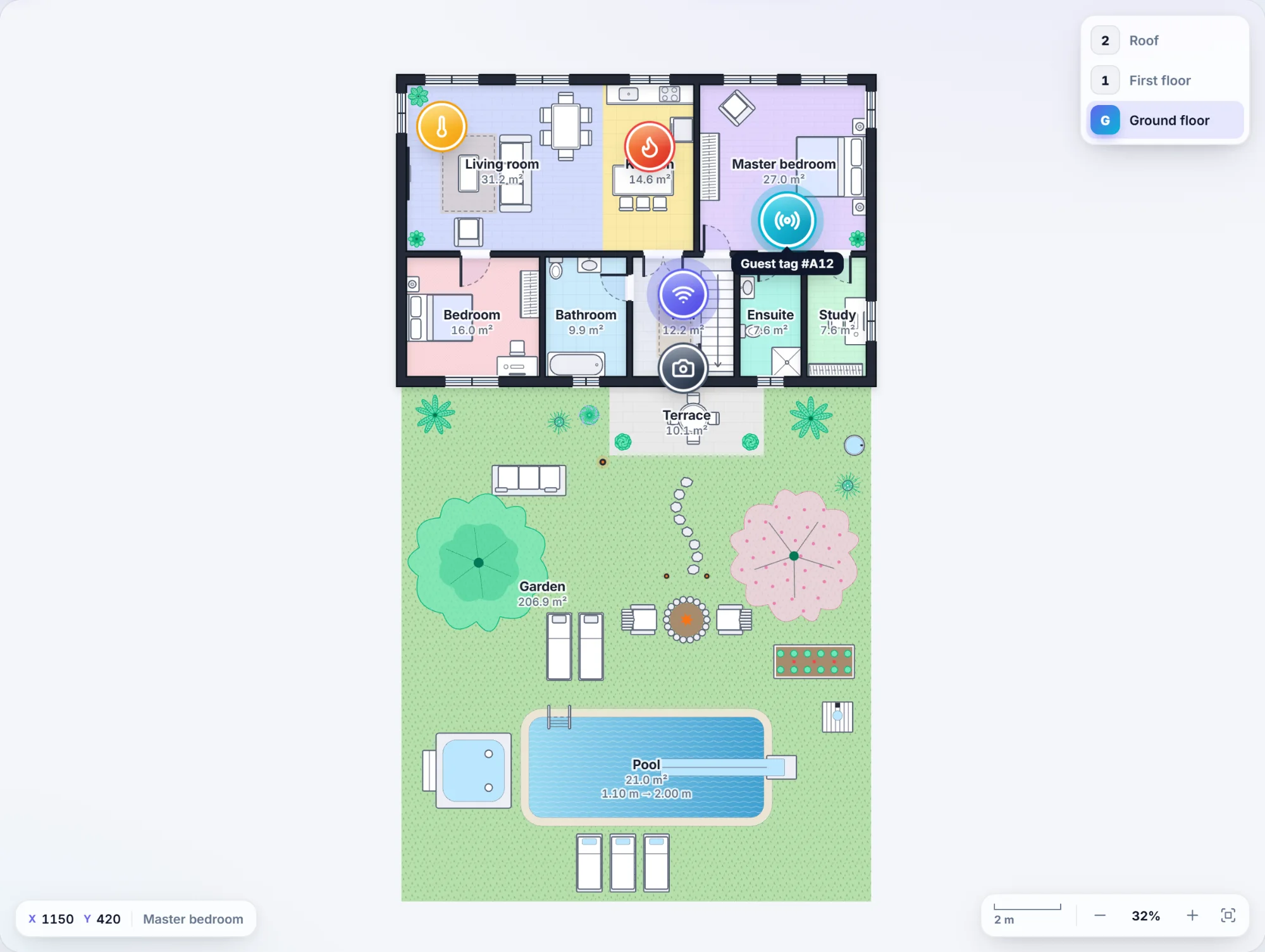
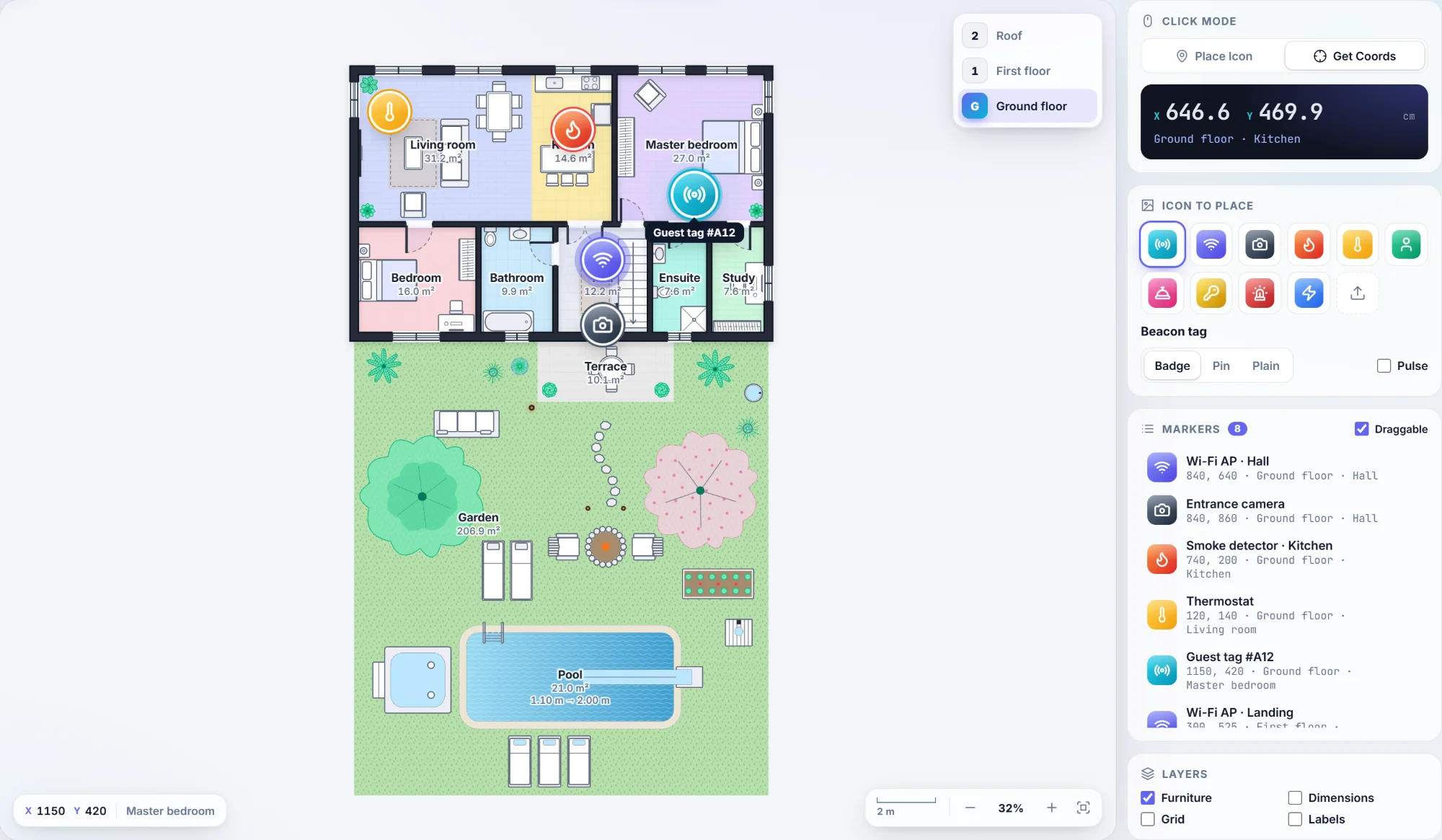
Show it. Click it. Pin things to it.
The viewer turns a plan into a live map of your building: devices, people, tags, alarms, anything your data knows about.
- Exact coordinates on every click, plus the room that was clicked
- Place any PNG, SVG or icon at any position as badges, pins or plain images
- Draggable markers with pulse effects, labels and custom templates
- Floor switching built in: every marker lives on its own floor
- Smooth pan, zoom and pinch on desktop, tablet and phone
- Room highlighting, hover and fly-to animations
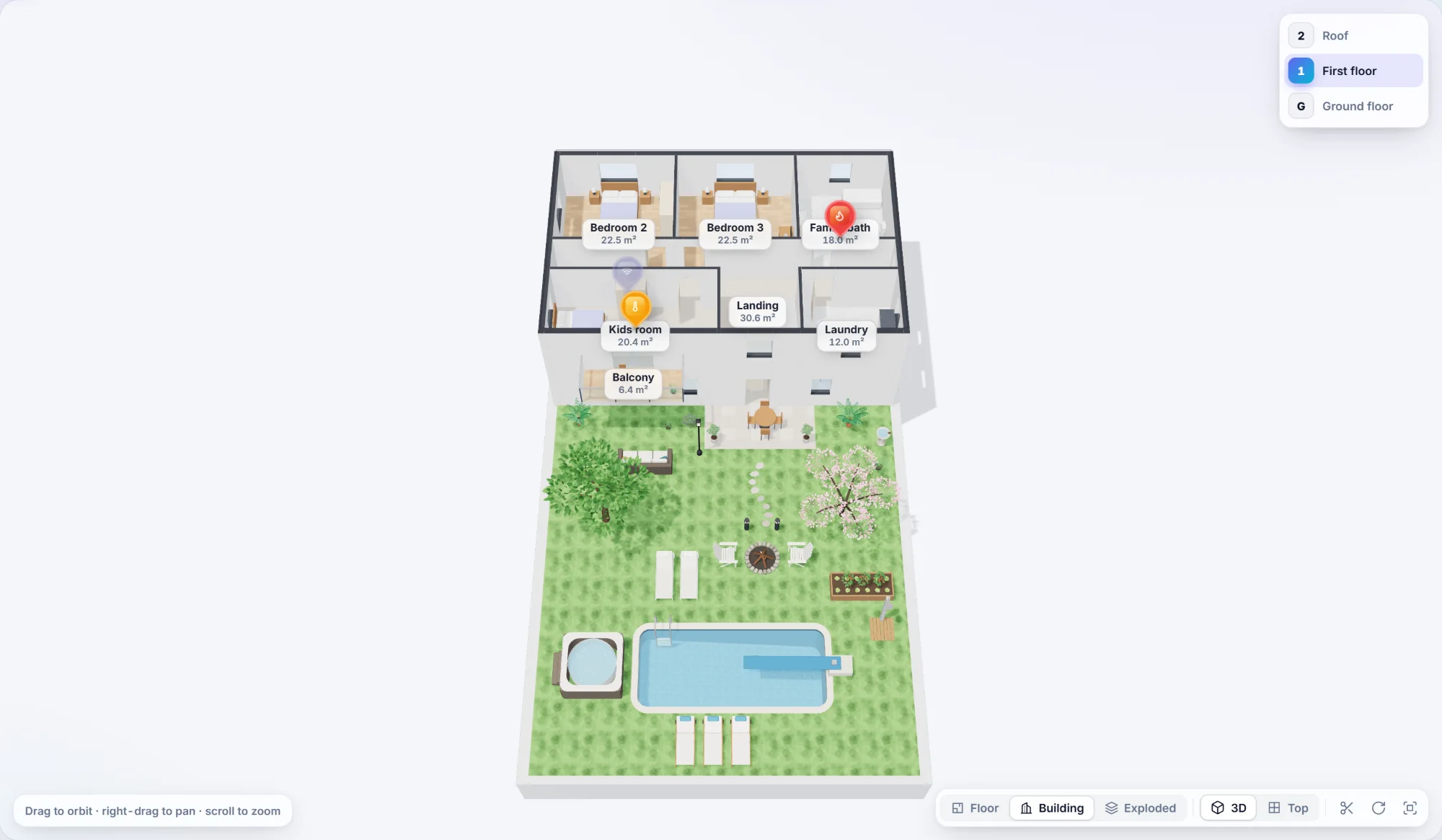
Walk your users through it in 3D
The same plan, the same markers, the same click coordinates, now in 3D. No extra modelling work. Ever.
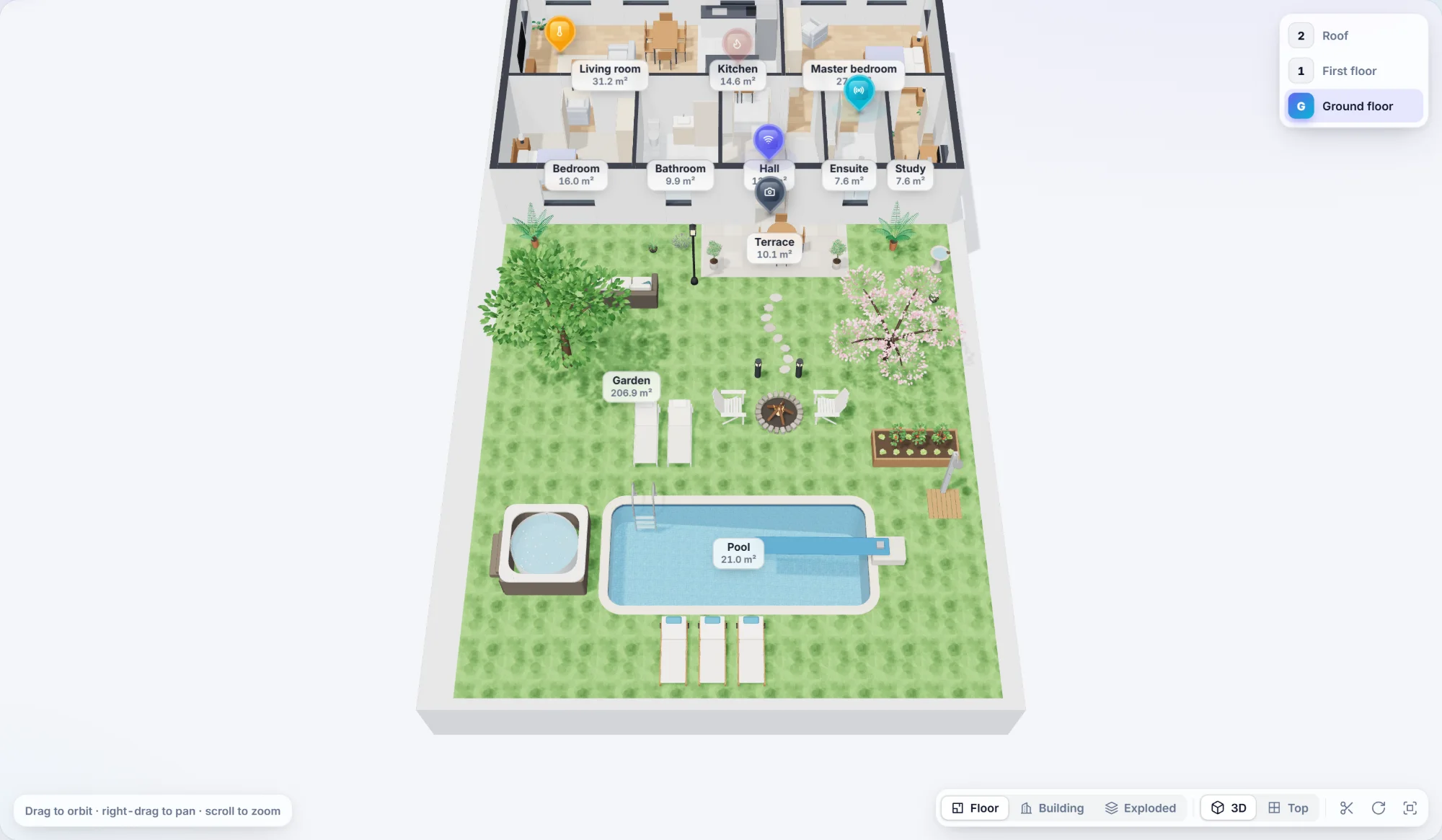
- The whole building: floors stacked, or pulled apart in an exploded view
- Real openings for doors and windows, with glass and open door leaves
- Floor finishes such as wood, tile, stone, carpet and grass, plus furniture models
- Cutaway mode slices the building so you can see into every room
- 3D and top views, auto-rotate, snapshots to PNG. Loaded only when you use it.
Click anywhere. Get exact coordinates.
Every click comes back as real plan coordinates in centimetres, together with the room it landed in. Store them, send them to your backend, place a sensor, register a beacon. It works the same in 2D and 3D, so a point is always the same point.
App.vue<FloorPlanViewer
  :plan="plan"
  :markers="devices"
  markers-draggable
  @plan-click="addDevice"
/>

// { x: 688.9, y: 374.7, room: { name: "Kitchen" } }
function addDevice({ x, y, room }) {
  devices.push({ id: uuid(), x, y, src: '/icons/beacon.png' })
}
App.tsx<FloorplanViewer
  plan={plan}
  markers={devices}
  markersDraggable
  onPlanClick={addDevice}
/>

// { x: 688.9, y: 374.7, room: { name: "Kitchen" } }
function addDevice({ x, y, room }) {
  setDevices((d) => [...d, { id: uuid(), x, y, src: '/icons/beacon.png' }])
}
index.html<floorplan-viewer markers-draggable></floorplan-viewer>

viewer.plan = plan
viewer.markers = devices

// e.detail: { x: 688.9, y: 374.7, room: { name: "Kitchen" } }
viewer.addEventListener('plan-click', (e) => {
  const { x, y, room } = e.detail
  devices.push({ id: uuid(), x, y, src: '/icons/beacon.png' })
  viewer.markers = [...devices]
})
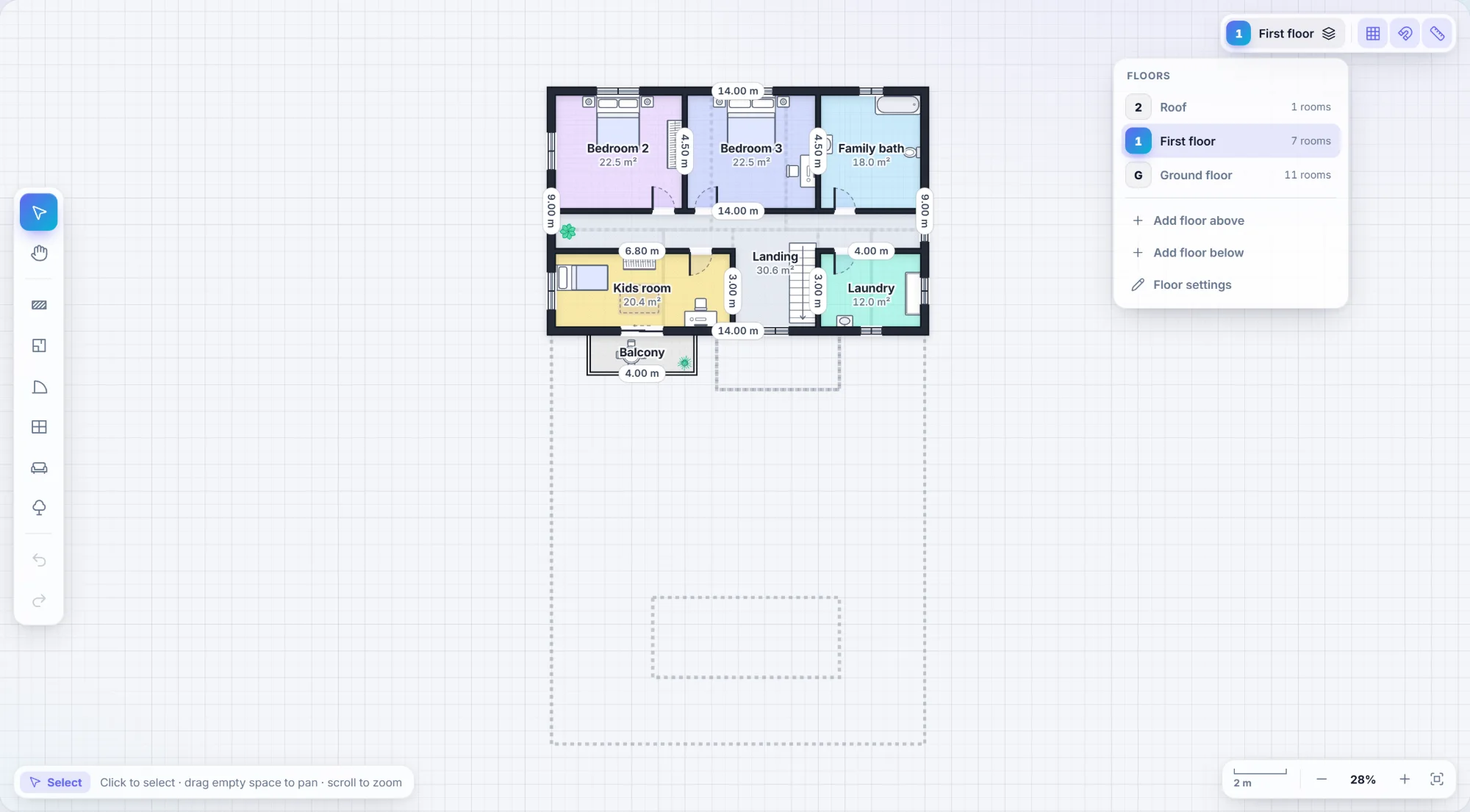
From one flat to a whole building
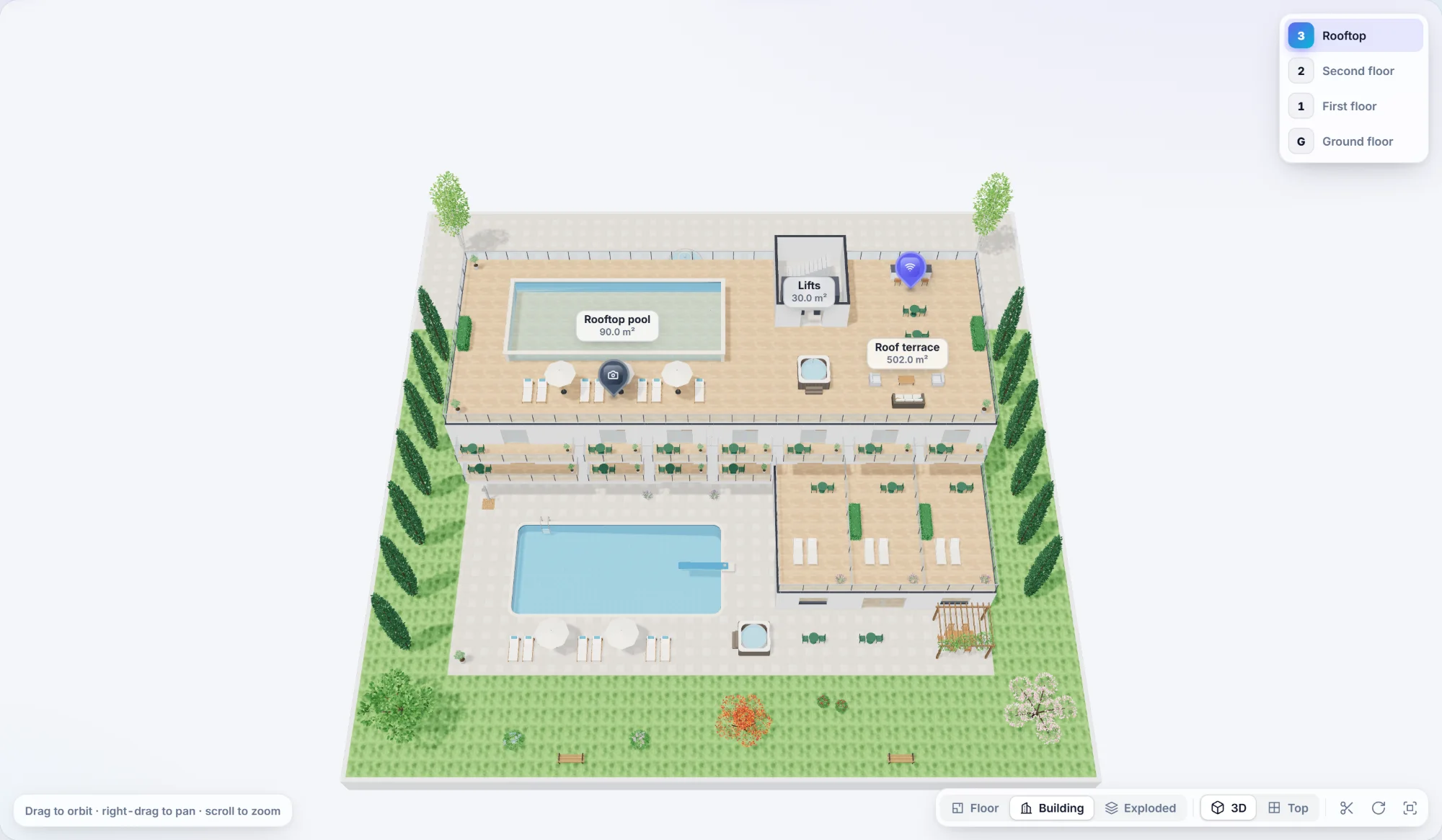
Every floor of a building lives in one plan. Add floors, copy them, switch between them, and see them all together in 3D.
- Basements, ground floor and every floor above, each with its own height
- Duplicate a floor in one click: lay out one floor, copy it ten times
- The floor below shows as a guide while you draw, so walls and stairs line up
- One-click floor switching in every view, with markers on their own floor
- Balconies with glass railings, gardens and terraces around the building
- All in one JSON document, which keeps your data simple
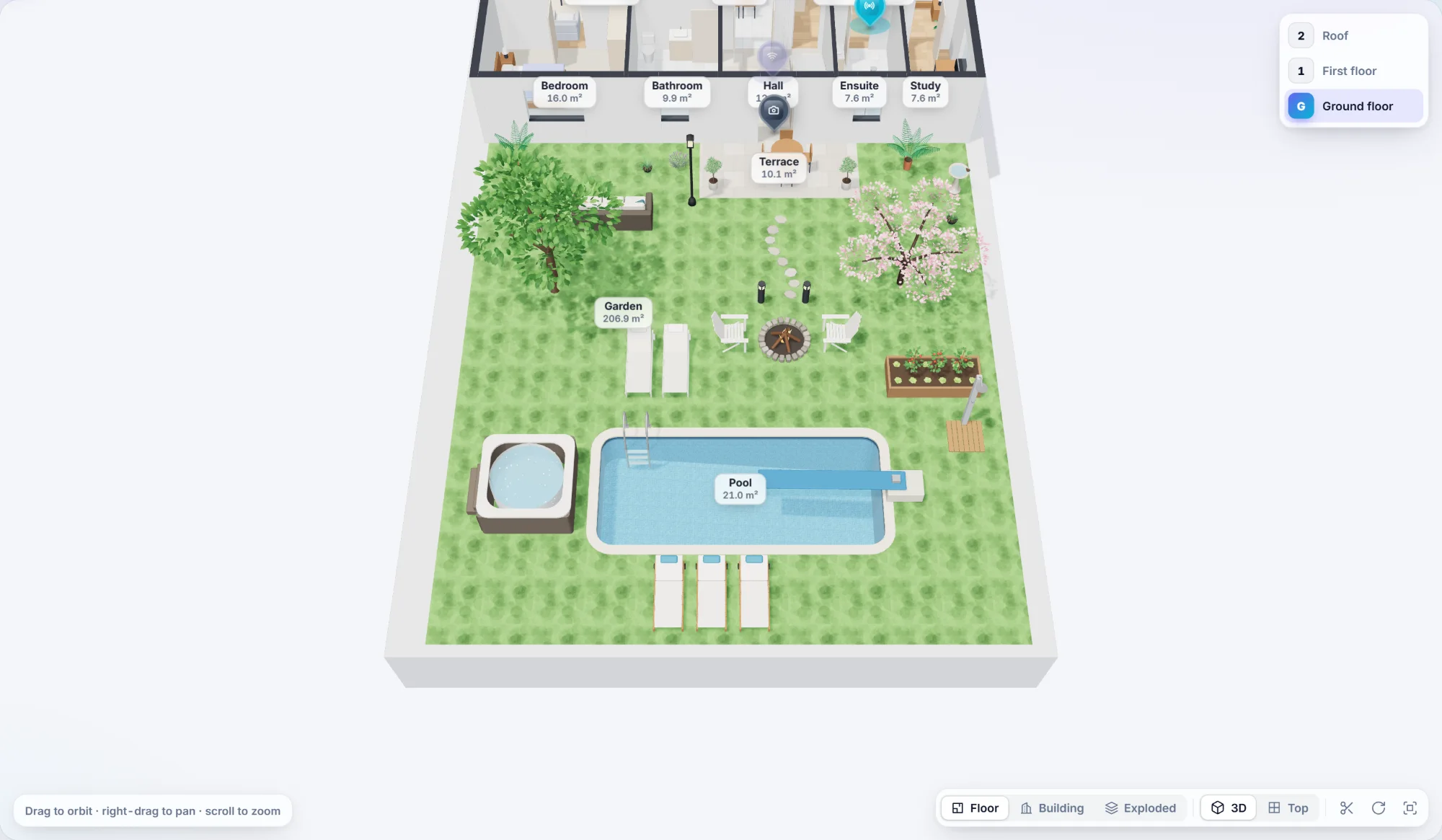
Gardens, terraces and swimming pools
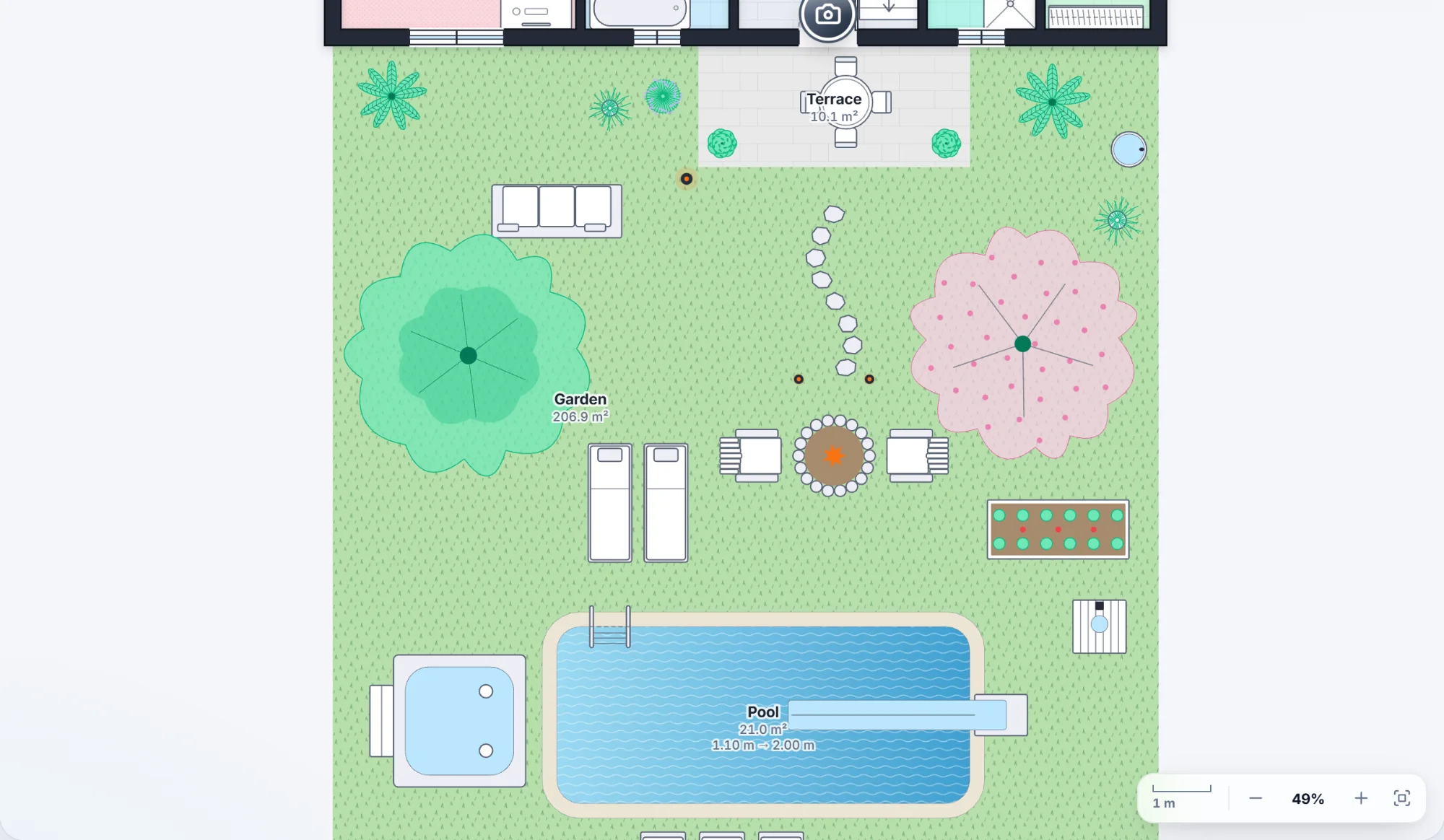
Outdoor space is part of the plan. Draw a lawn, a terrace or a pool the same way you draw a room, and see it in 2D and 3D.
- Swimming pools of any shape, sunk into the garden or raised on a roof terrace
- Three finishes: blue mosaic, white plaster or dark slate, with the depths you set
- Glass-sided rooftop pools that show the water from the side
- Lawns, stone terraces and decks, and balconies with glass railings
- Click the water and you get the pool, just like any room
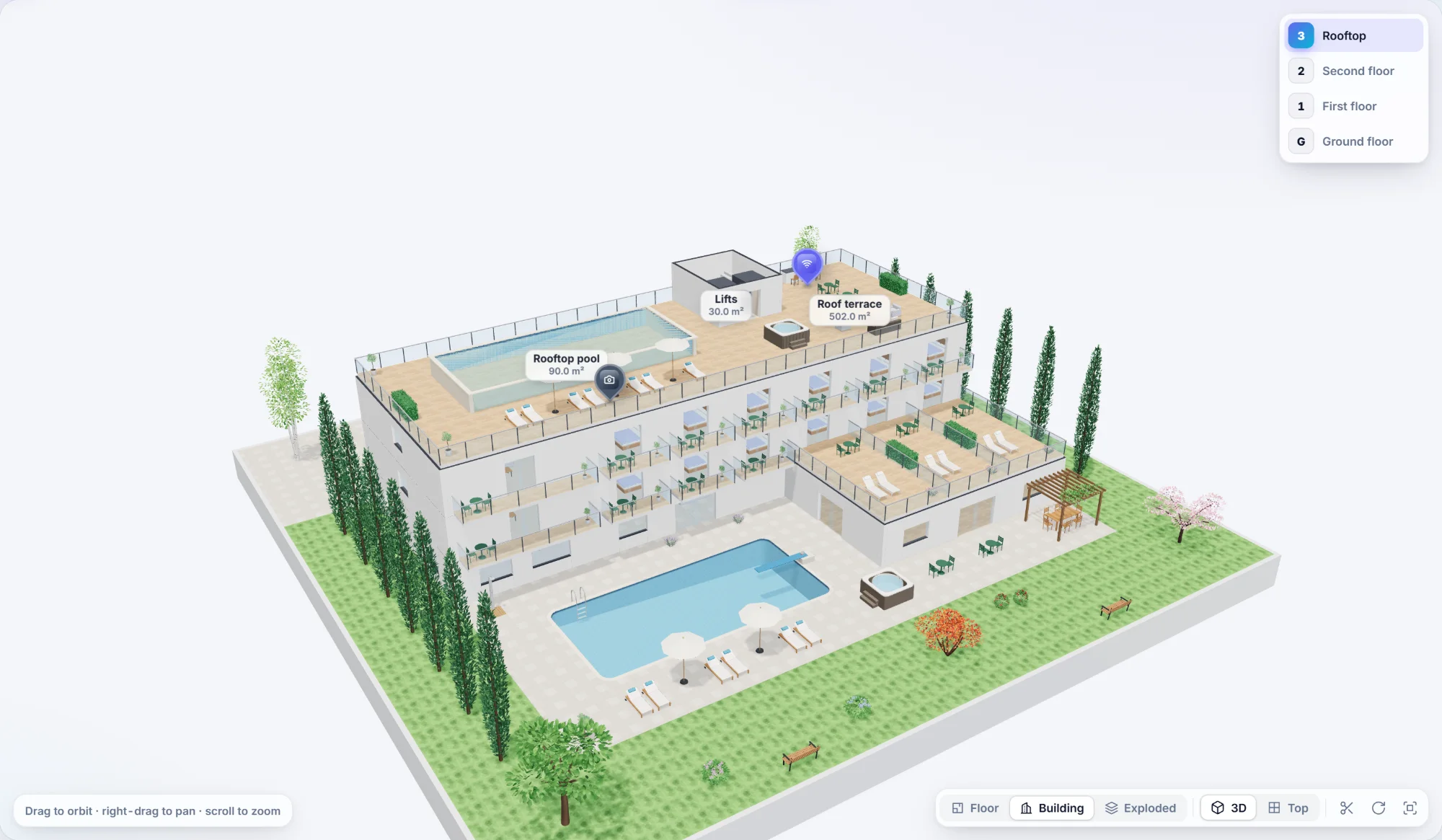
Your plan, in 3D. Instantly.
No modelling, no exporting, no uploads. The 3D view is built live from the same plan your users drew in 2D, right in the browser, floor by floor.
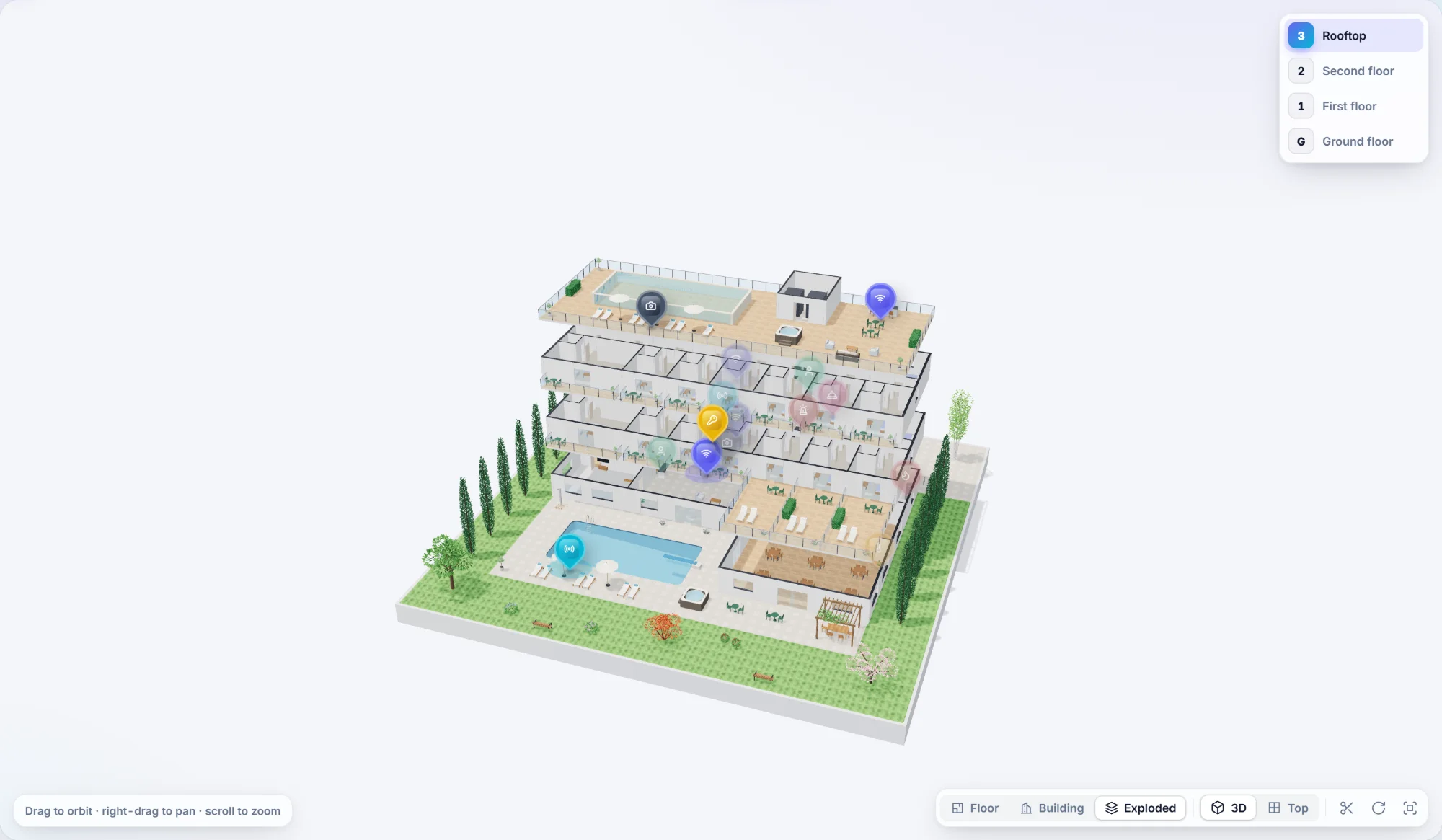
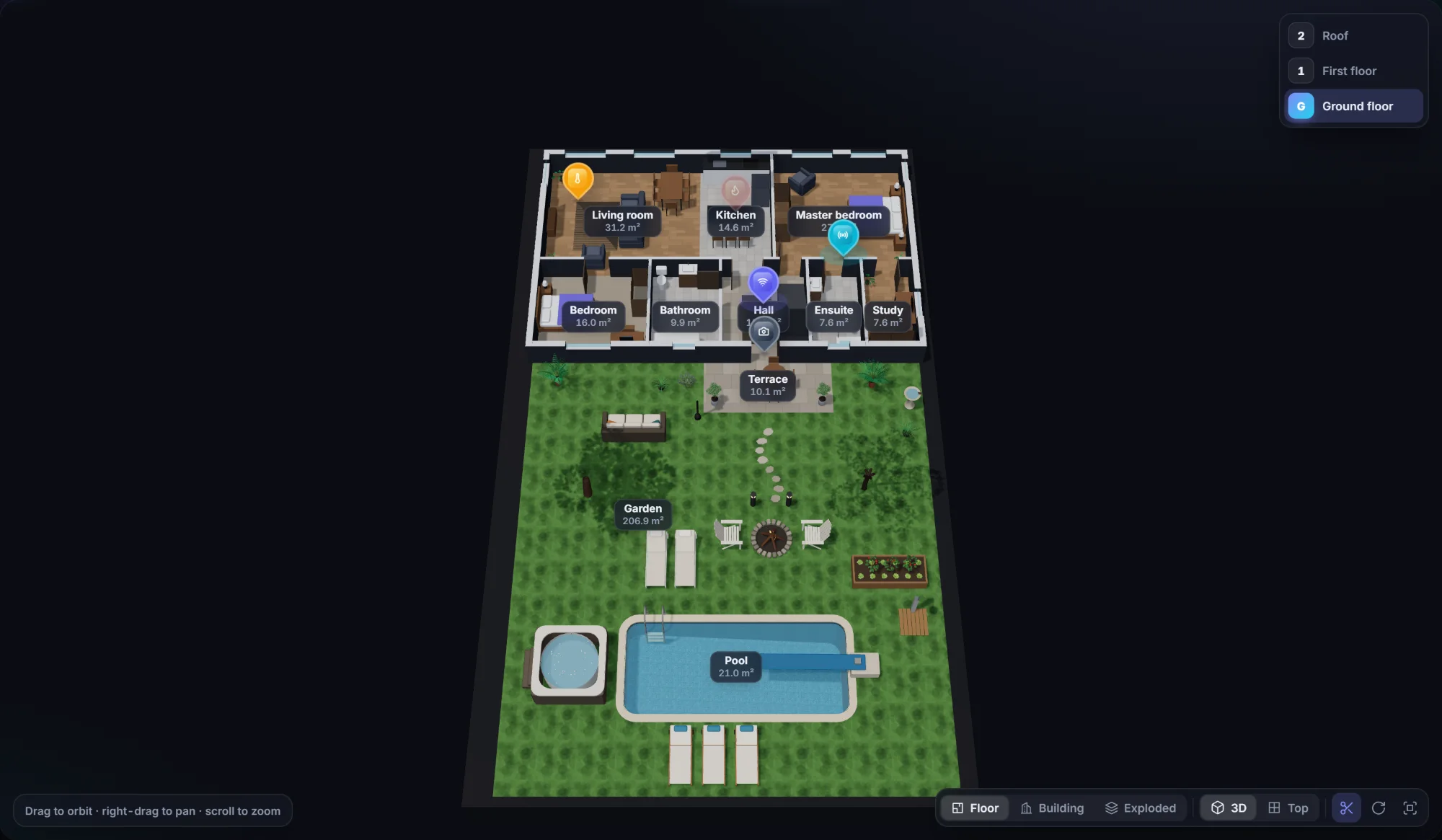
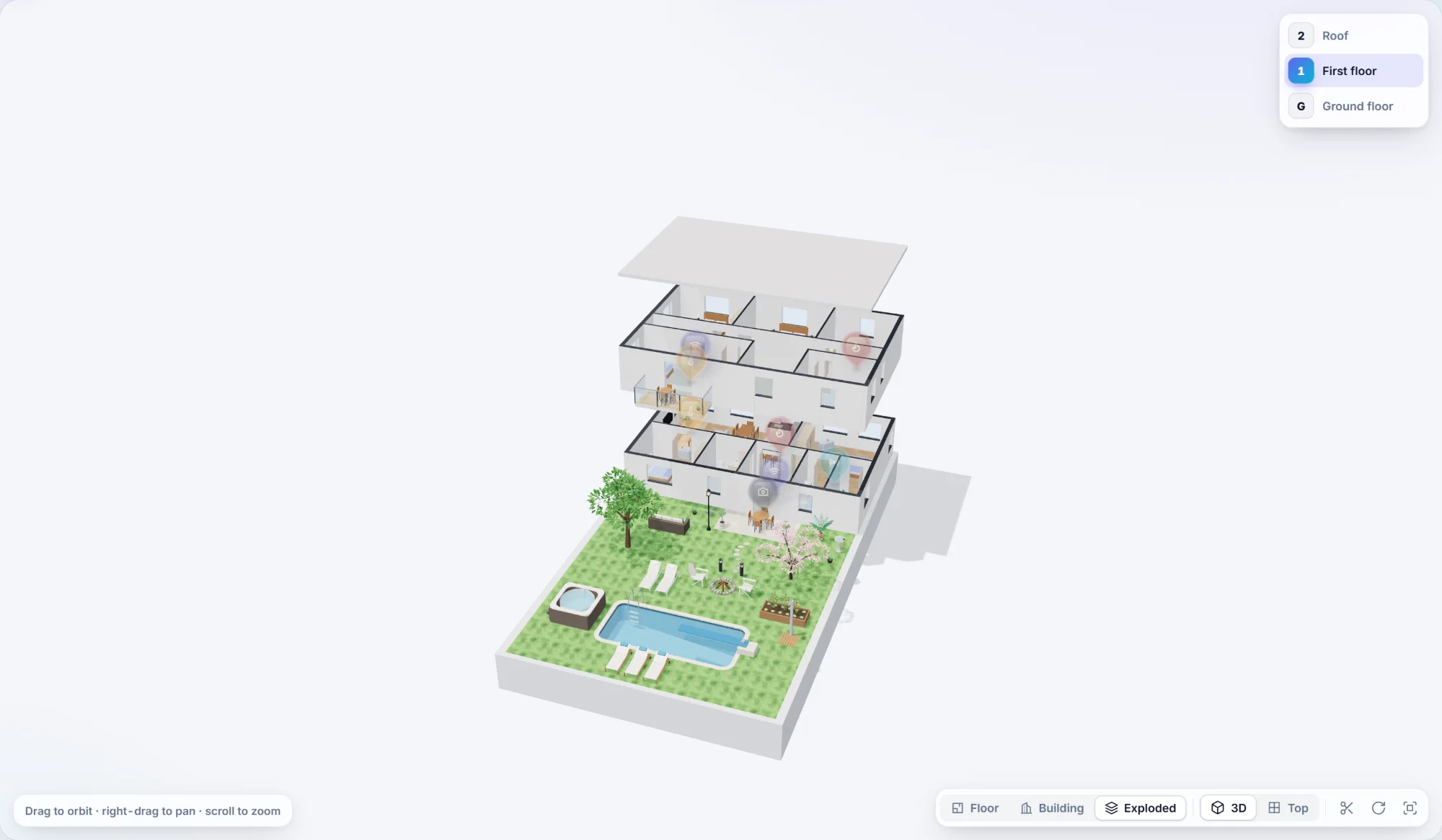
More things to place, whenever you need them
Add-on packs bring whole sets of new items to the editor, each with its own 2D symbol and 3D model. Install the ones you need, register them with one line, and they appear under their own button. Every pack is included in your licence, at no extra cost.
Colourful, or calm. Your choice.
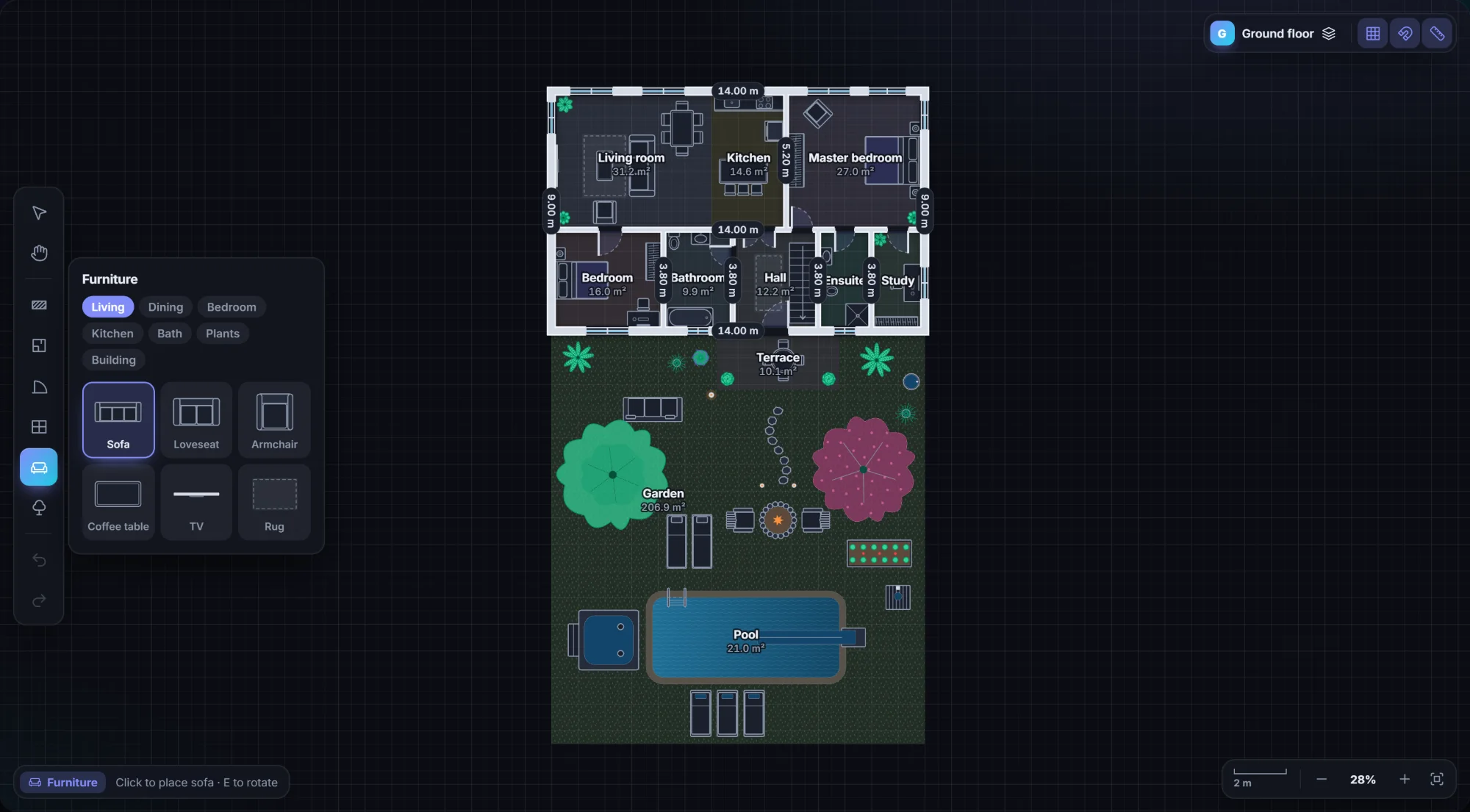
The same building, four of the seven built-in themes. Go colourful to show off rooms and finishes, or pick a minimal theme so the plan steps back and your data is the only colour on screen.
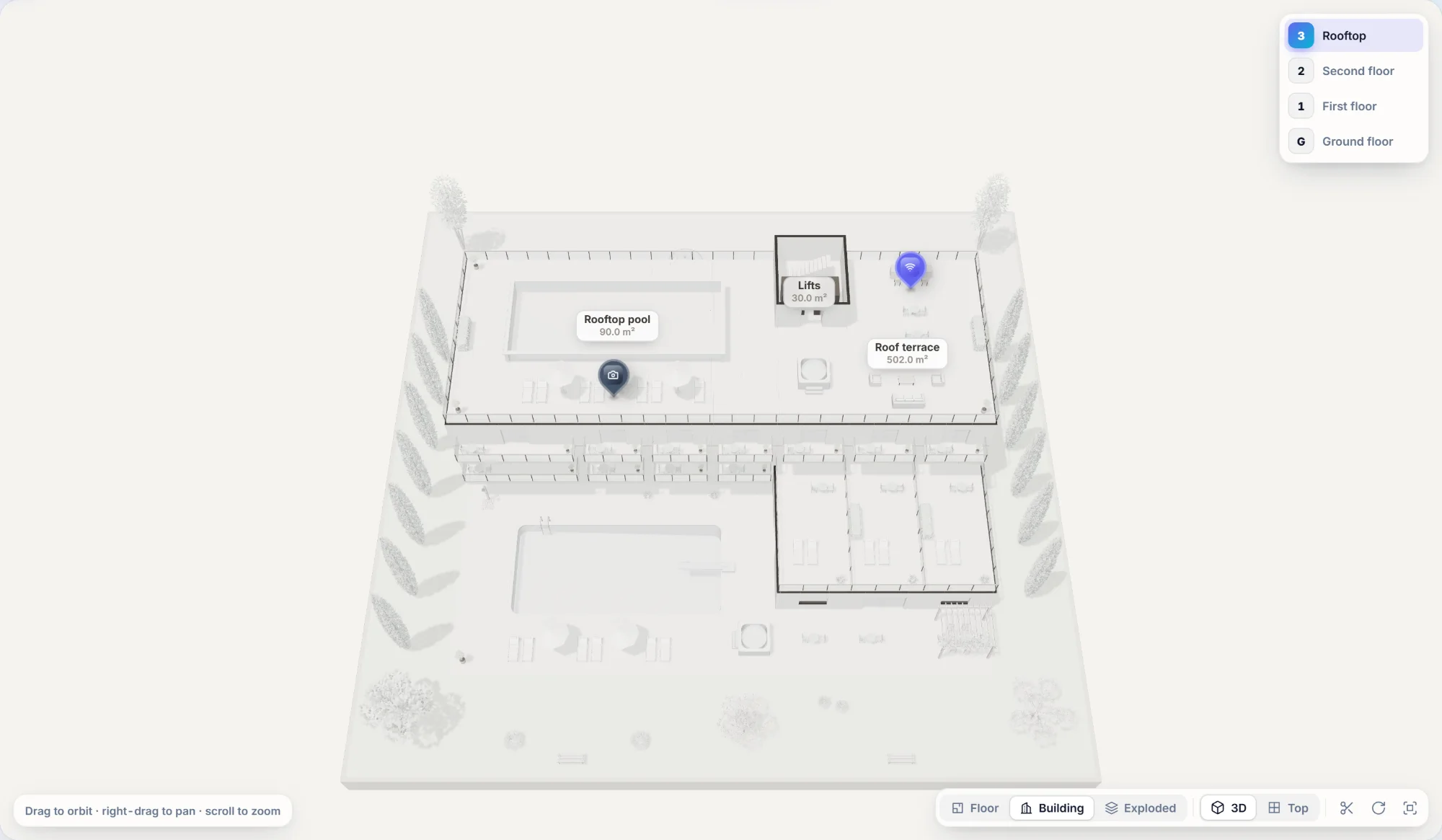
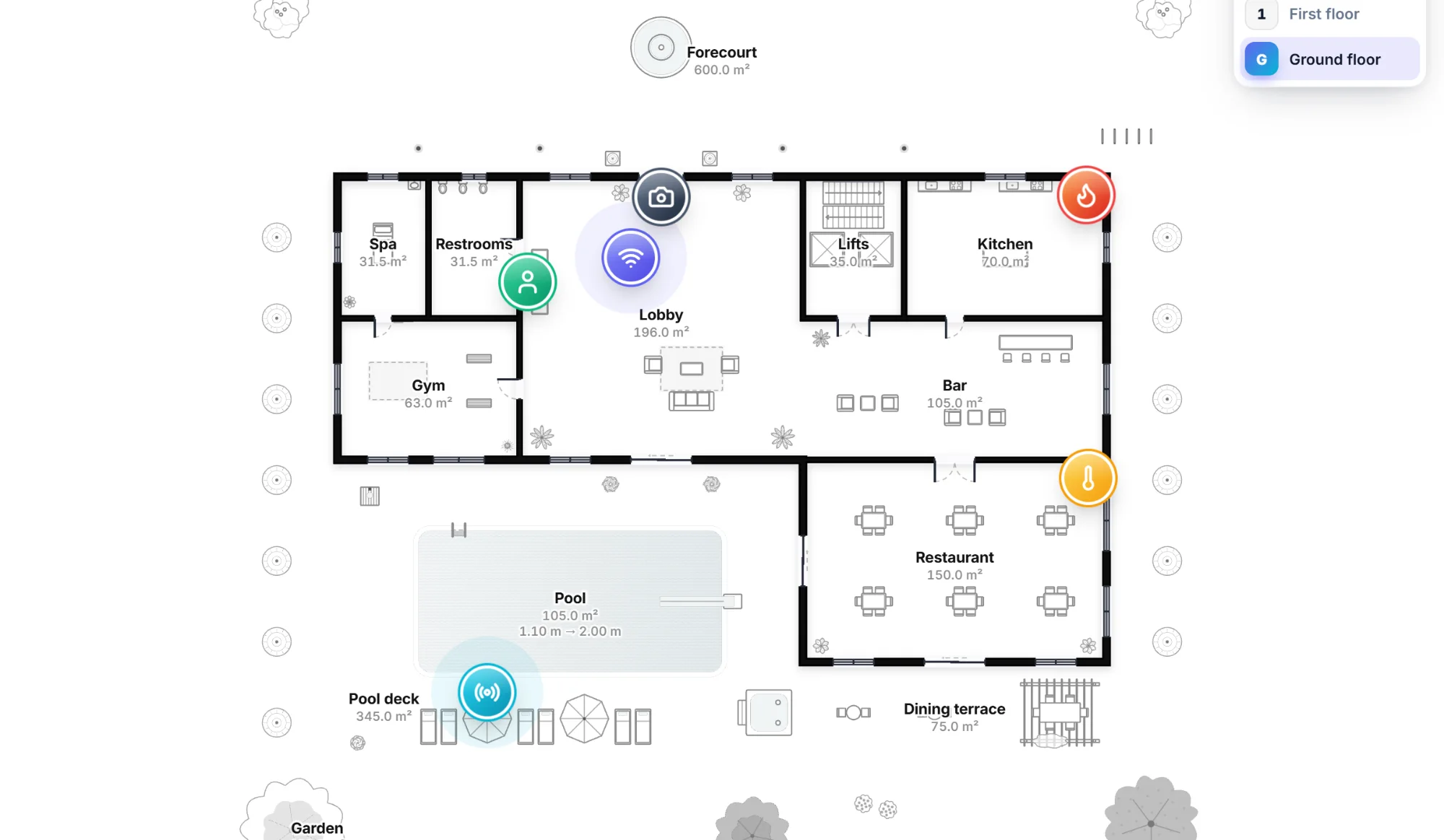
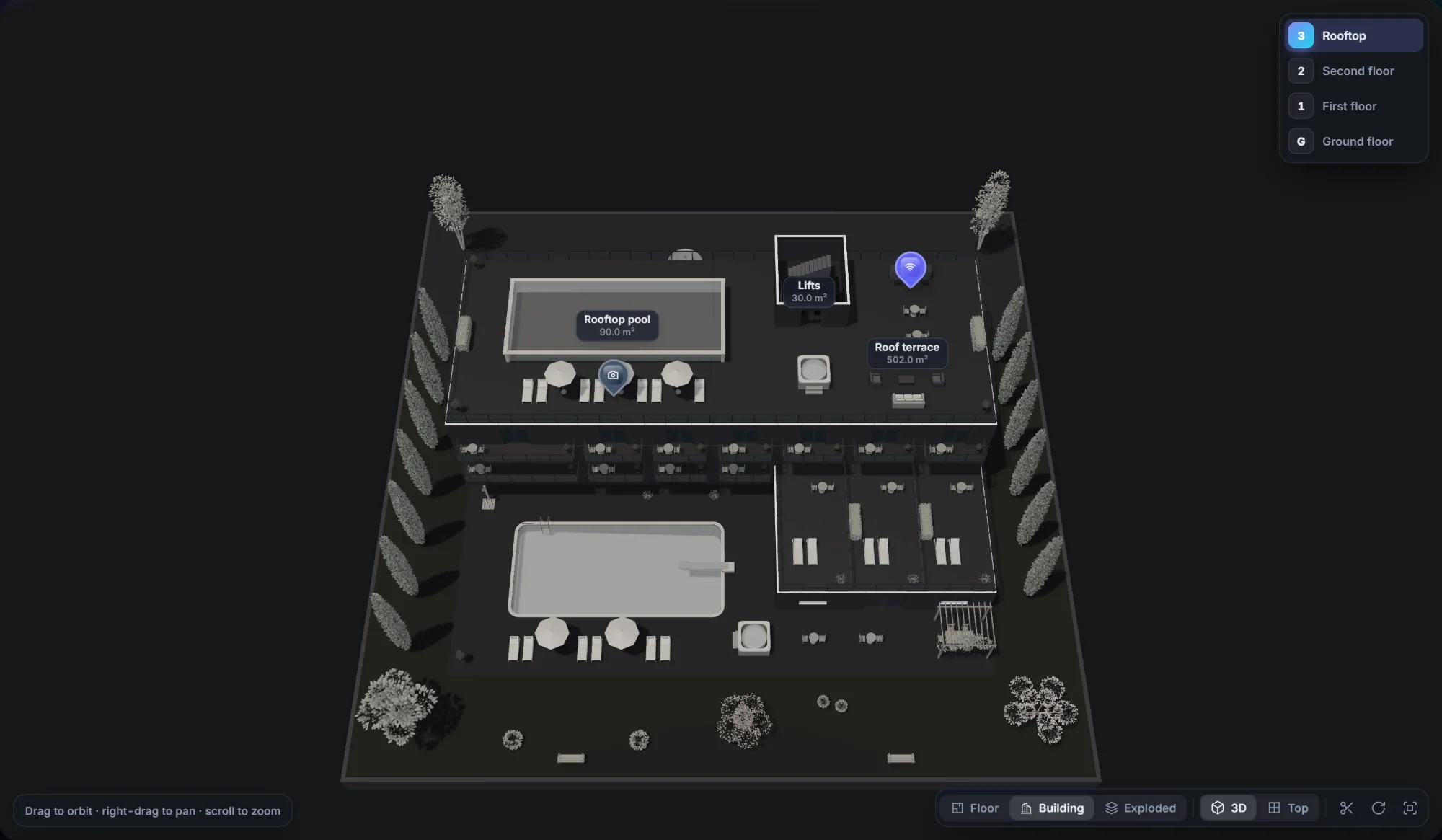
Looks great out of the box. Bends to your brand.
We sweated the details so your users feel the difference from the first click.
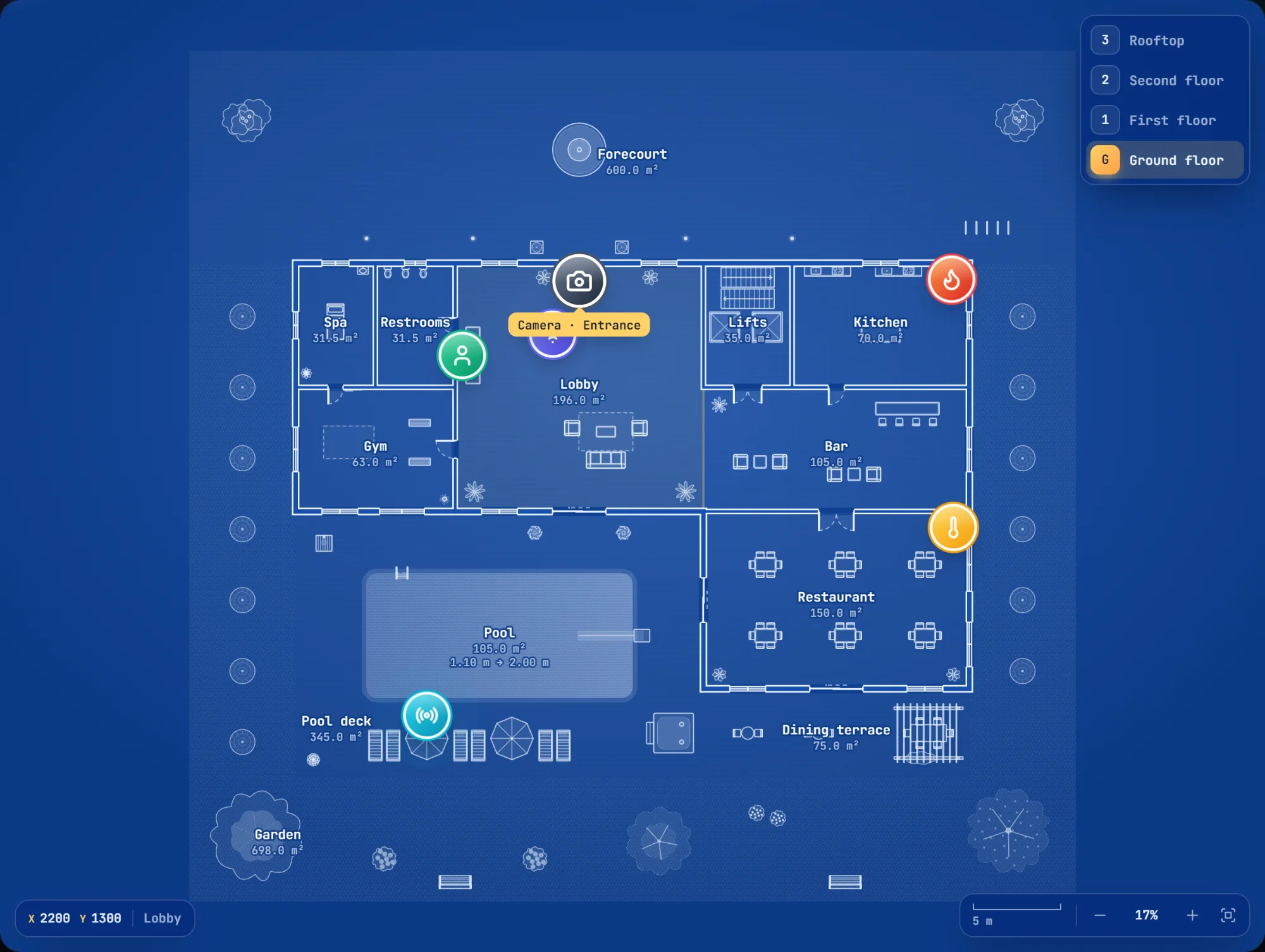
Seven themes. Every colour yours.
Light, dark, a classic blueprint and four calm minimal themes come built in. Every colour is a CSS variable, so making it match your product takes a few lines, not a fork.
- Minimal themes (paper, mist, ink, graphite) when the plan should stay in the background
- Blueprint mode for that architect's-drawing look
- Your colours, your font, through simple CSS variables
- Room colours and floor finishes per room
- Respects "reduce motion" accessibility settings
Snapping that feels right
Corners, walls, 45° angles and alignment guides. Plans come out straight without anyone trying.
Furniture in 2D and 3D
Architectural symbols in 2D and matching models in 3D, from sofas to elevators. Packs add more.
Indoors and outdoors
Gardens, terraces, balconies with glass railings and swimming pools, finished in grass, stone or deck.
Markers for anything
Your own icons as badges, map pins or plain images. Drag them, pulse them, template them.
Plain JSON, no lock-in
Plans are simple, documented JSON. Keep them in your database, next to the rest of your data.
The little things
Undo/redo, keyboard shortcuts, touch and pinch, measurements, areas and scale bars.
Your app. Your servers. Your data.
Most floor-plan platforms are hosted services: your plans live on their servers and you pay for as long as you use them. We built the opposite.
Hosted platforms make sense for some teams. If you'd rather own the feature, this is for you.
Wherever space meets data
Hotels and hospitality
Room status, guest and staff tags, housekeeping rounds and room-service requests, on a live map of every floor.
IoT and smart buildings
Place sensors, beacons and gateways by clicking the plan, then show their live state where they actually are.
Facilities and safety
Extinguishers, cameras, alarms and evacuation points, mapped and kept up to date by your own team.
Real estate
Let buyers and tenants explore layouts in 2D and 3D, with gardens and terraces included.
Offices and workplaces
Desk booking, meeting rooms, occupancy and wayfinding, without sending your floor plans to a third party.
Venues and retail
Stands, stores, seating and points of interest, designed in minutes and shown to visitors on any device.
Install it. Import it. Done.
A regular npm package with TypeScript types and proper docs. No SDK keys, no iframes, no remote scripts. Vue components, React components or standard HTML elements, built into your own app.
Terminal$ npm install @jbaysolutions/floorplan-vue
App.vueimport { FloorPlanEditor, FloorPlanViewer } from '@jbaysolutions/floorplan-vue'
import { FloorPlanViewer3D } from '@jbaysolutions/floorplan-vue/3d'
import '@jbaysolutions/floorplan-vue/style.css'

<!-- let users draw -->
<FloorPlanEditor v-model="plan" />

<!-- show it, with your data on top -->
<FloorPlanViewer :plan="plan" :markers="sensors" />
<FloorPlanViewer3D :plan="plan" :markers="sensors" />
Terminal$ npm install @jbaysolutions/floorplan-react
App.tsximport { FloorplanEditor, FloorplanViewer } from '@jbaysolutions/floorplan-react'
import { FloorplanViewer3D } from '@jbaysolutions/floorplan-react/3d'

{/* let users draw */}
<FloorplanEditor plan={plan} onChange={setPlan} />

{/* show it, with your data on top */}
<FloorplanViewer plan={plan} markers={sensors} />
<FloorplanViewer3D plan={plan} markers={sensors} />
Terminal$ npm install @jbaysolutions/floorplan-elements
index.htmlimport '@jbaysolutions/floorplan-elements'
import '@jbaysolutions/floorplan-elements/3d'

<!-- let users draw -->
<floorplan-editor></floorplan-editor>

<!-- show it, with your data on top -->
<floorplan-viewer></floorplan-viewer>
<floorplan-viewer-3d></floorplan-viewer-3d>

viewer.plan = plan
viewer.markers = sensors
One price. No meters.
No fees per floor, per square metre, per view or per developer. The same price for every company, large or small. Pay once and that version is yours, with every update it ever gets. And if you're a small company or an open-source project, it's free.
Free licence
For open source and small companies.
Open-source projects, and companies or individuals under €1M yearly revenue
- The complete library: editor, 2D viewer and 3D viewer
- The same updates and packs as commercial licences
- Open-source projects, publicly available
- Small companies and individuals with under €1M yearly revenue, including startups, freelancers and students
- Try before you buy: evaluate everything, then go commercial for production
- Grown past €1M? Move to a commercial licence.
Commercial licence
Everything. Yours to keep.
Per company, per major version (for example, all of 2.x). Same price for everyone.
- Editor, 2D viewer and 3D viewer, the complete library
- Every update within your version: 2.2, 2.3, 2.4… new features and fixes, free
- Every add-on pack included, at no extra cost
- Unlimited developers, projects, end users, buildings and floor plans within your company
- For your company's own apps and websites. Building for a client? They need their own licence.
- No licence server, no activation, nothing that can switch it off
Premium Support
Talk directly to the engineers who build it.
Add it when you need it, drop it when you don't.
- Answers within 2 business days from our development team
- A private channel with the engineers who build it
- Integration help with your app, backend and data
- Your bugs go to the front of the queue
- Guidance when you move to a new major version
- A direct line, not a ticket black hole
Shipping JBay Floorplan inside a product you sell to other companies? Talk to us. The full terms are in the licence.
How versions work
A licence covers a major version, plus every minor and patch release of it. Here's what that looks like.
Straight answers
What exactly does "per major version" mean?
Versions are numbered like 2.4.1. The first number is the major version. A licence for version 2 covers 2.0, 2.1, 2.2 and every 2.x release we ever publish, including new features. Version 3 will be the next major version, and that one needs a new licence, if you want it.
What happens when version 3 comes out?
Nothing changes for you. Your version 2 keeps working, forever, exactly as it did. If version 3 has something you want, you buy it. If not, you don't. No pressure and no expiry dates.
Does it handle buildings with several floors?
Yes. One plan holds the whole building: basements, ground floor and every floor above, each with its own height. Users switch floors with one click, markers stay on their floor, and the 3D view shows the building stacked or pulled apart.
Do we need an internet connection, a server or an account?
No. It's a library that runs inside your own application, in your users' browsers. There's no JBay server involved, no API key and no account. It works on intranets and offline.
Where is our floor-plan data stored?
Wherever you decide. Plans are plain JSON objects. Save them in your database next to the rest of your data. We never see them.
What does "per company" cover?
One commercial licence covers one company: all of that company's own apps, websites and internal tools, with unlimited developers, users, buildings and floor plans. It doesn't cover apps or websites that belong to other companies.
We're building a site or app for a client. Who needs the licence?
The client. Every company whose app or website uses JBay Floorplan needs its own licence, either commercial or, if they qualify, free. Your own licence covers your company's own products, not the ones you build for others.
Who qualifies for the free licence?
Open-source projects, and companies or individuals with under €1M in yearly revenue: startups, freelancers, students, personal projects. You get the complete library and the same updates as everyone else. Once your revenue passes €1M, move to a commercial licence.
Why is the price the same for a large company?
Because it's simple and fair. You don't count developers, floors, buildings or users, and we don't ask. One company, one price. If you ship JBay Floorplan inside a product you sell to other companies, talk to us and we'll agree terms that fit.
Do add-on packs cost extra?
No. Every pack is included in every licence, free or commercial. Install the ones you need. You can also make packs of your own items, such as your products or your equipment.
Do we need Premium Support?
No. The licence works on its own, and the documentation covers everything. Premium Support is for teams that want direct access to our engineers, help with integration and priority fixes.
Which frameworks does it work with?
Vue 3 and React (18 and 19) have their own packages, and everything else uses the standard HTML elements package: plain JavaScript, Angular, Svelte, Vue 2. All three are built from the same code, so every feature works the same, and all are fully typed with TypeScript. Plans are JSON, so any backend works. The documentation shows every example in each framework.
Can we try it before we buy?
Yes. Start with the free licence: it's the complete library, with nothing held back and no time limit. Evaluate it, prototype with it, build a proof of concept. When it goes into production for your company, get a commercial licence.
Ready to put floor plans in your product?
Tell us what you're building. We'll show you how it fits, with no sales theatre.